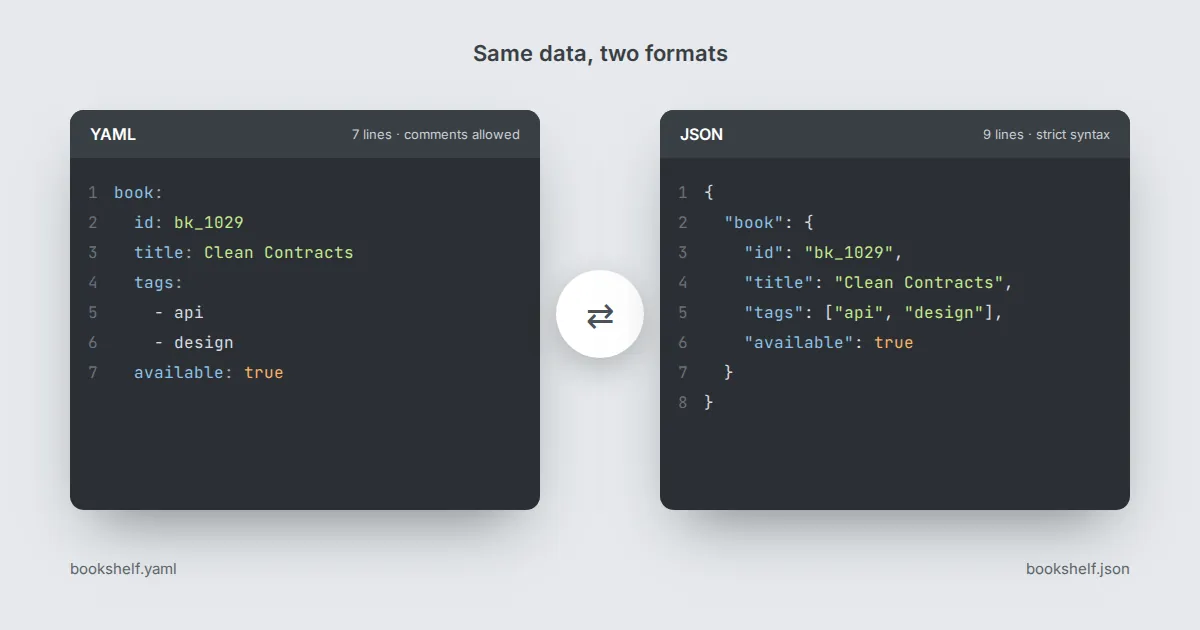
OpenAPI documents can be written in YAML or JSON, and Swagger Editor accepts both. The content is identical; only the syntax changes. Picking one is mostly about who reads and edits the file.
Why most people write YAML
- Less noise. No braces, no commas, and quotes only where needed. A long description is noticeably shorter.
- Comments. YAML supports
# comments, which are handy for notes such as why a field is deprecated. JSON has no comment syntax. - Multi-line text. Block scalars (
|and>) make long Markdown descriptions readable.
Where JSON wins
- Strictness. Indentation cannot change meaning, so an accidental space never moves a field to the wrong parent.
- Tooling. Every language parses JSON natively. If your description is generated by code, JSON is the natural output.
- No surprise types. YAML may read unquoted values like
yes,onor1.10as booleans or numbers. JSON never guesses.
YAML traps to watch for
Response codes should be quoted ('200'). Version strings such as 1.10 must be quoted or they become the number 1.1.
Tabs are not allowed for indentation; use spaces only. The editor highlights most of these, but the type-guessing problem can produce a valid file that simply means something else, so read the preview carefully.
Converting between formats
The editor's menus let you save the current document as YAML or JSON, and it can convert pasted JSON into YAML. Conversion is lossless for data, but comments are dropped when moving to JSON because JSON has nowhere to put them.
Keep your YAML source as the master copy if comments matter to you.
A practical rule
If humans write the file, use YAML. If a program writes the file, use JSON.
If both happen, keep YAML in the repository and generate JSON in your build step for tools that prefer it.