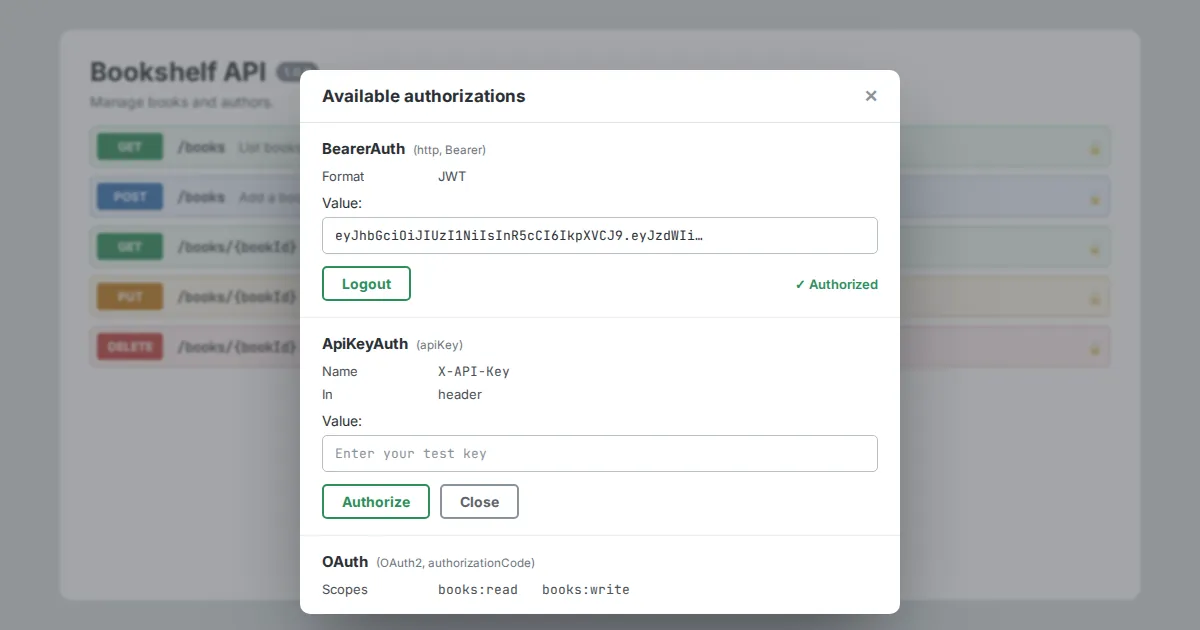
An API description is not complete until it says how callers authenticate. OpenAPI handles this in two parts: you define security schemes once under components, then you apply them globally or per operation.
Swagger Editor turns those definitions into an Authorize button in the preview.
Defining schemes
components:
  securitySchemes:
    ApiKeyAuth:
      type: apiKey
      in: header
      name: X-API-Key
    BearerAuth:
      type: http
      scheme: bearer
      bearerFormat: JWT
    BasicAuth:
      type: http
      scheme: basic
An API key can live in a header, query string or cookie. Bearer and basic authentication both use the http type with a different scheme.
The bearerFormat field is a hint for readers; it does not change validation.
OAuth 2.0
    OAuth:
      type: oauth2
      flows:
        authorizationCode:
          authorizationUrl: https://auth.example.com/authorize
          tokenUrl: https://auth.example.com/token
          scopes:
            books:read: Read books
            books:write: Create and edit books
List every flow your server supports and every scope it understands. Scope descriptions show up in the authorization dialog, so write them for humans.
Applying security
security:
  - BearerAuth: []
paths:
  /health:
    get:
      security: []
  /books:
    post:
      security:
        - OAuth: [books:write]
A top-level security block applies to every operation. An empty array on an operation removes authentication for that endpoint, which suits health checks and public listings.
Items in the list are alternatives; keys inside one item must all be satisfied together.
Testing in the preview
Click Authorize, enter a test credential and use Try it out on any operation. The preview attaches the header or token for you.
Never paste production secrets into a shared or hosted editor; use short-lived test keys instead.
401 and 403 responses to secured operations so callers know what failure looks like.